


Crypto
We support a wide range of blockchains, DEXs and CEXs to trade on.Blockchains
30+ Blockchains
(Ethereum, Solana, etc.)
DEXs
400+ DEXs supported(Thanks to OKX DEX API)
CEXs
100+ CEXs(Thanks to CCXT library)
Exchange Connection Setup
Connect your exchange accounts to BaiBai to trade on multiple exchanges from a single platform.1. Connecting an Exchange
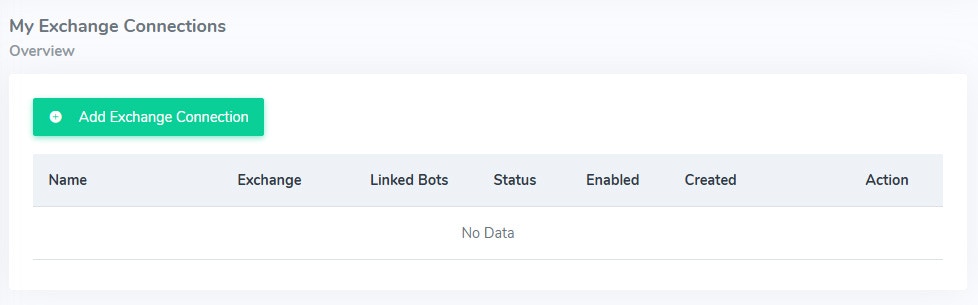
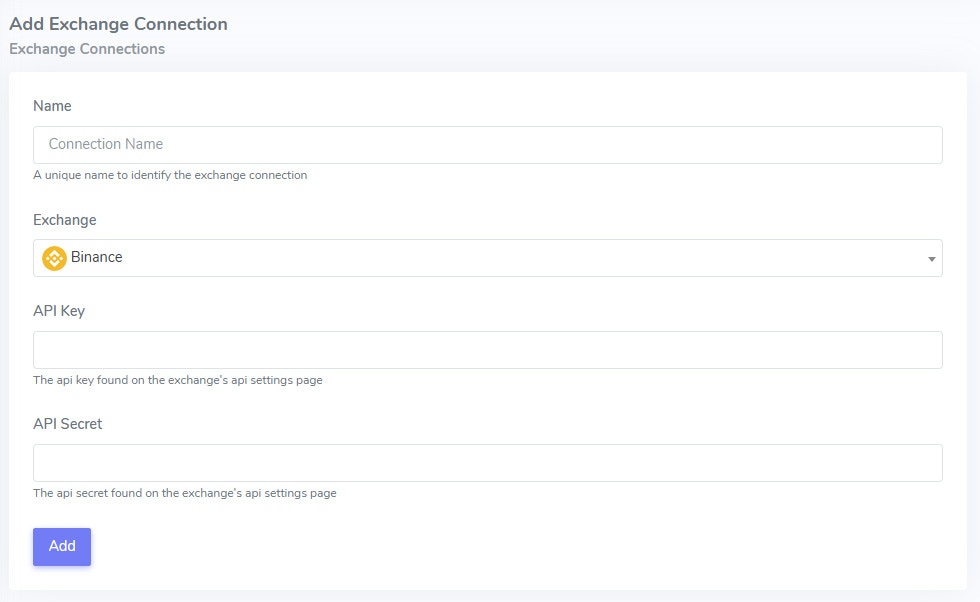
Get the API credentials from your exchange account and add them to BaiBai to connect your exchange account.
2. All your connected Exchanges
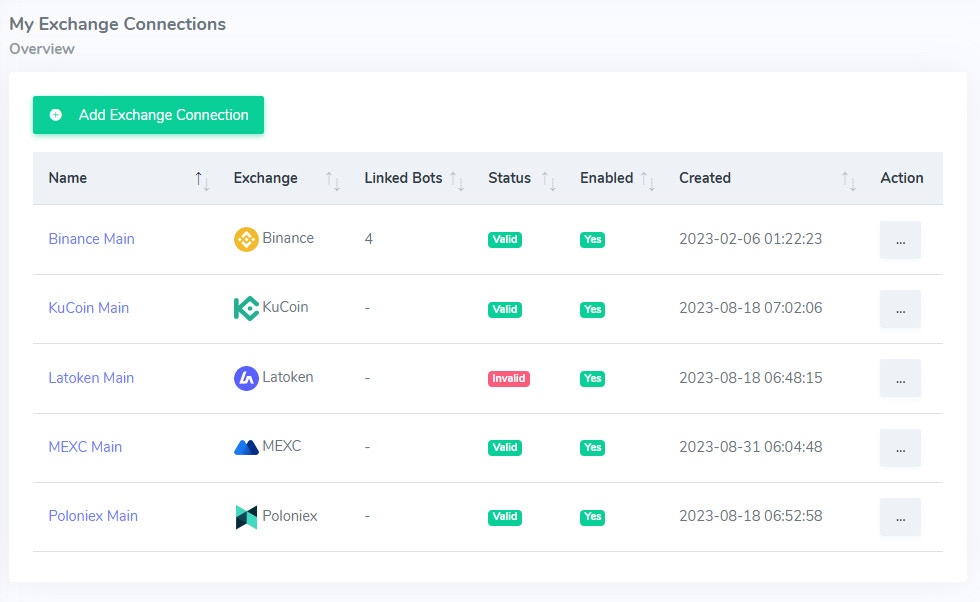
Check your connected exchanges and their status.
Invalid connections can happen due to exchange policies where you have to renew the API credentials.
Exchange Connection Info
The information page for each exchange shows the exchange, API key, API status and the linked bots that are using the connection. You can also disable or delete the connection to an exchange if you don’t want to use it anymore.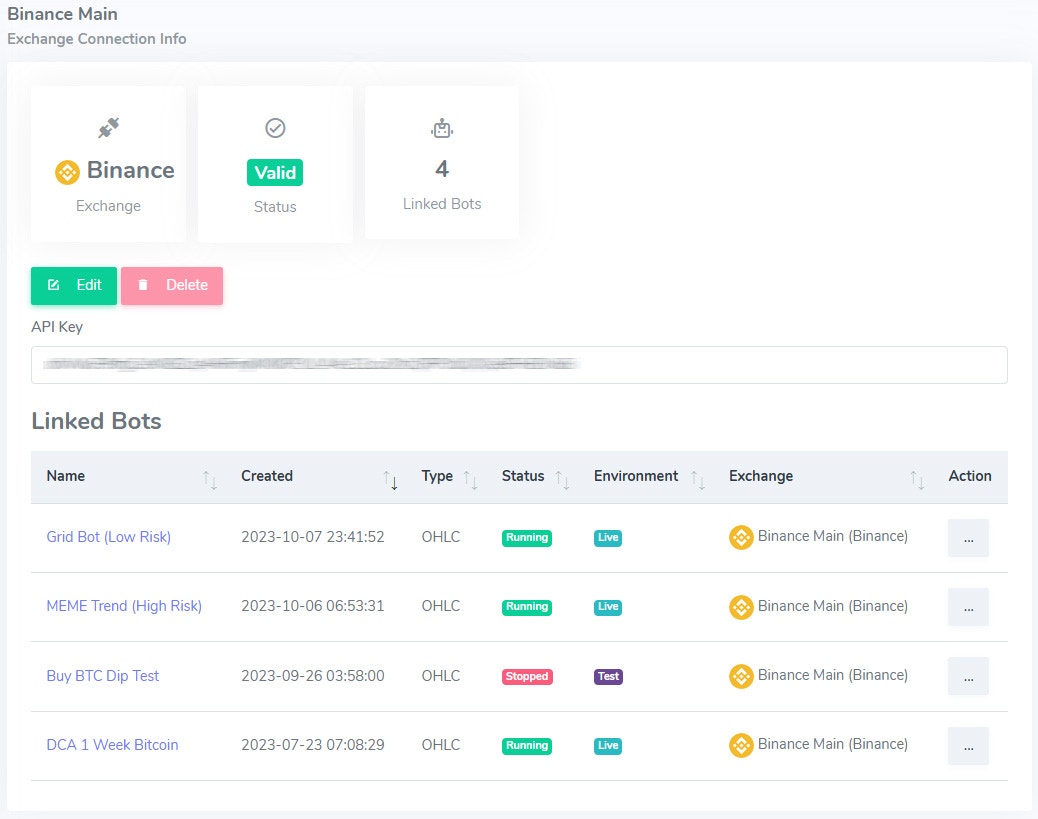

Crypto Wallet Connections
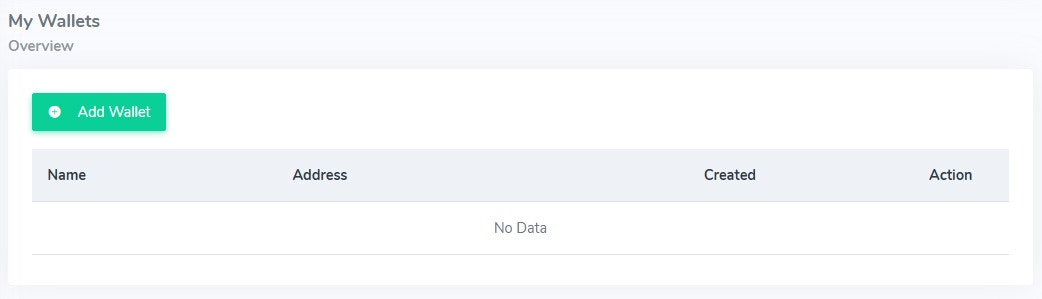
Connect your crypto wallets to BaiBai to track your assets and execute trades directly from your wallets. Worried about security? Don’t be! Use our BaiBai Desktop App to trade securely with full control over your private keys.1. Adding a new wallet
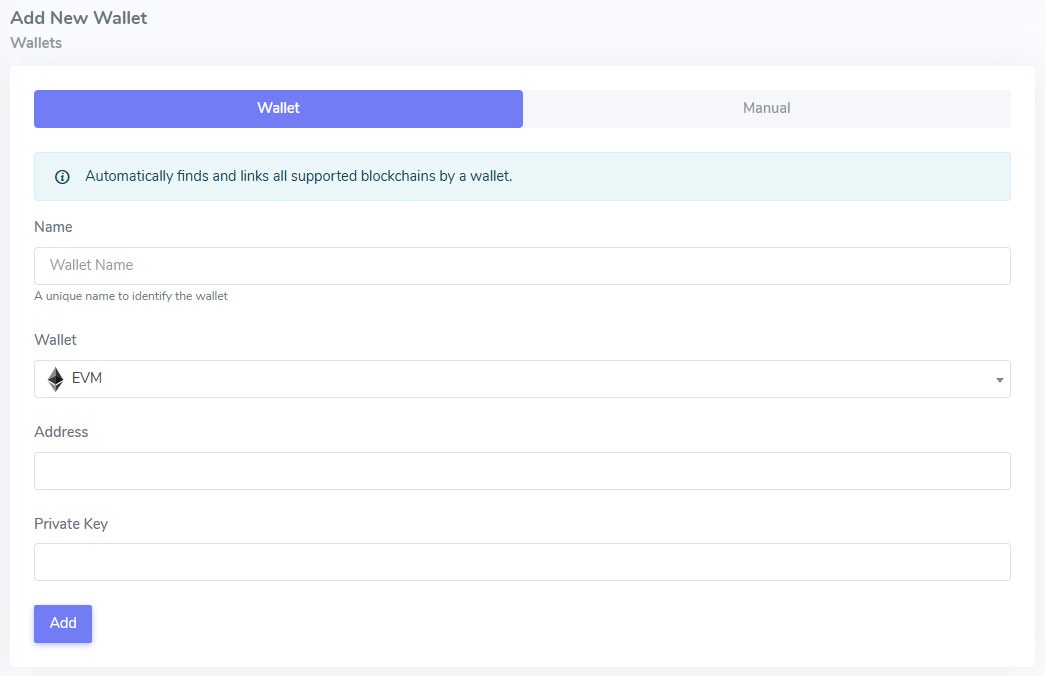
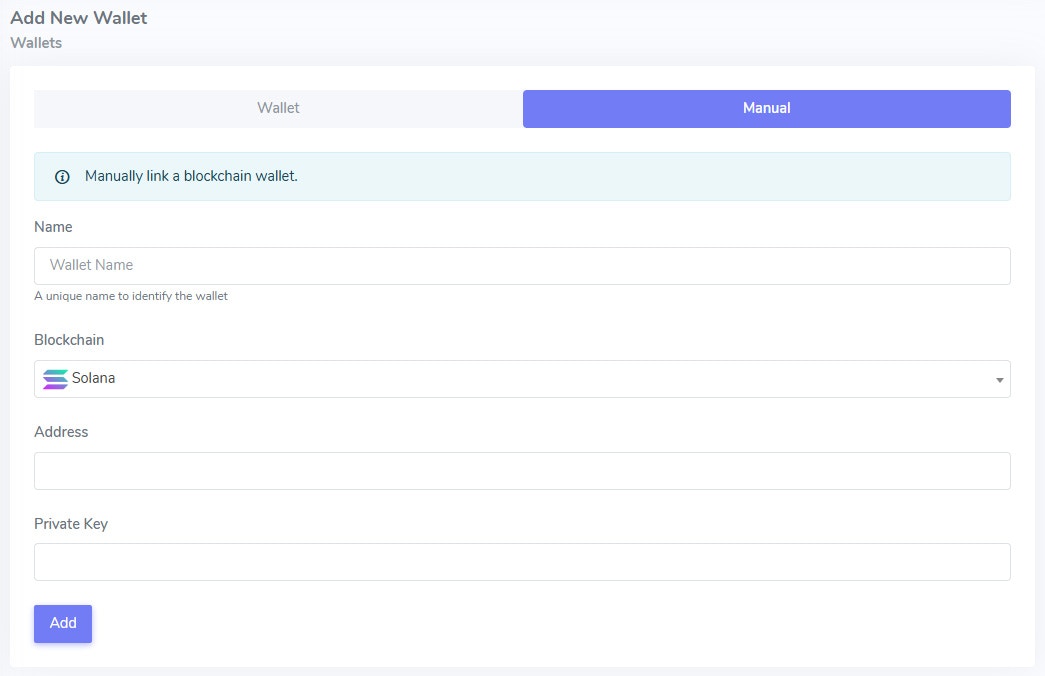
Wallets can be connected by adding the public address and private key. The private key is stored securely on our servers in a different location than the public address.
Note: Wallets added under the Manual tab are strictly bound to a single blockchain. Wallets added under the Wallet tab can be used across multiple blockchains and assets will be detected automatically accross all our supported blockchains.
Wallet Overview
Check your connected wallets.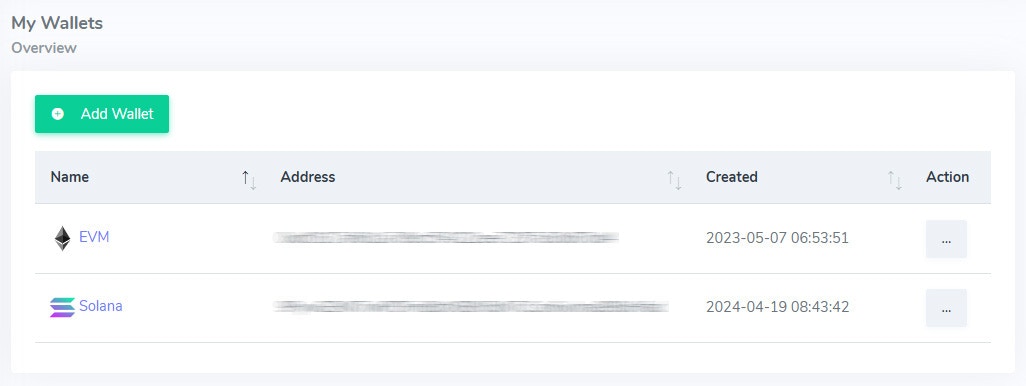
Wallet Info
The information page for each wallet shows the wallet address, private key and the assets detected in the wallet accross all our supported blockchains. You can also easily delete the wallet if you don’t want to use it anymore.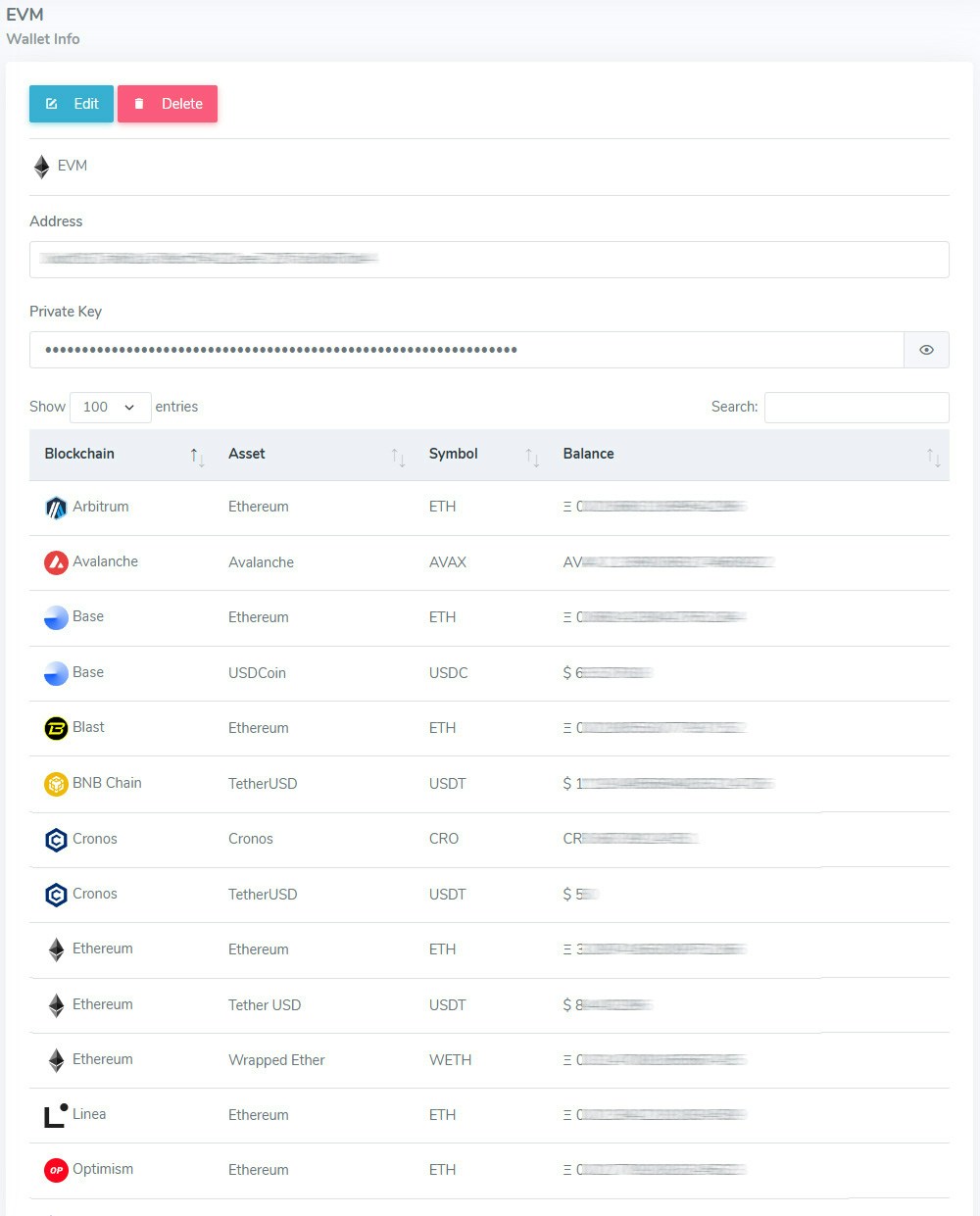
Stocks, Forex and Commodities
Currently we support trading stocks, forex and commodities on Interactive Brokers via our BaiBai Desktop App. Please check our Interactive Brokers Trading page for more information on how to connect your Interactive Brokers account to BaiBai.


Info: Commodities have limited support at this point on Interactive Brokers (gold & silver).